Don't kill my pretty RSS feed
On a winter's day in 2018, I was helping a grandmother figure out what to do with an RSS feed someone had sent her. She had found my company's support chat (we do podcast hosting), and was confused.
"Someone told me to listen to this, but when I click on it, it just looks like a bunch of code," she told me.
A week later, I spoke to someone else who tried loading an RSS feed in Firefox, only to be prompted to "download the file to their computer."
A few months later, a user contacted us because when he tried to load a podcast RSS feed, it opened his classic version of Outlook and prompted him to add it there.
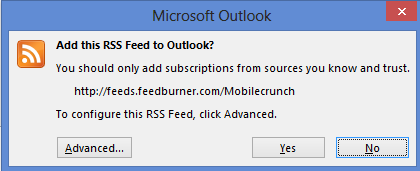
In each case, I tried to explain what RSS is and how it's used, but these non-technical users struggled to understand.
Later that summer, my business partner found a solution to present our podcast RSS feeds in a way people could understand: XSL stylesheets.
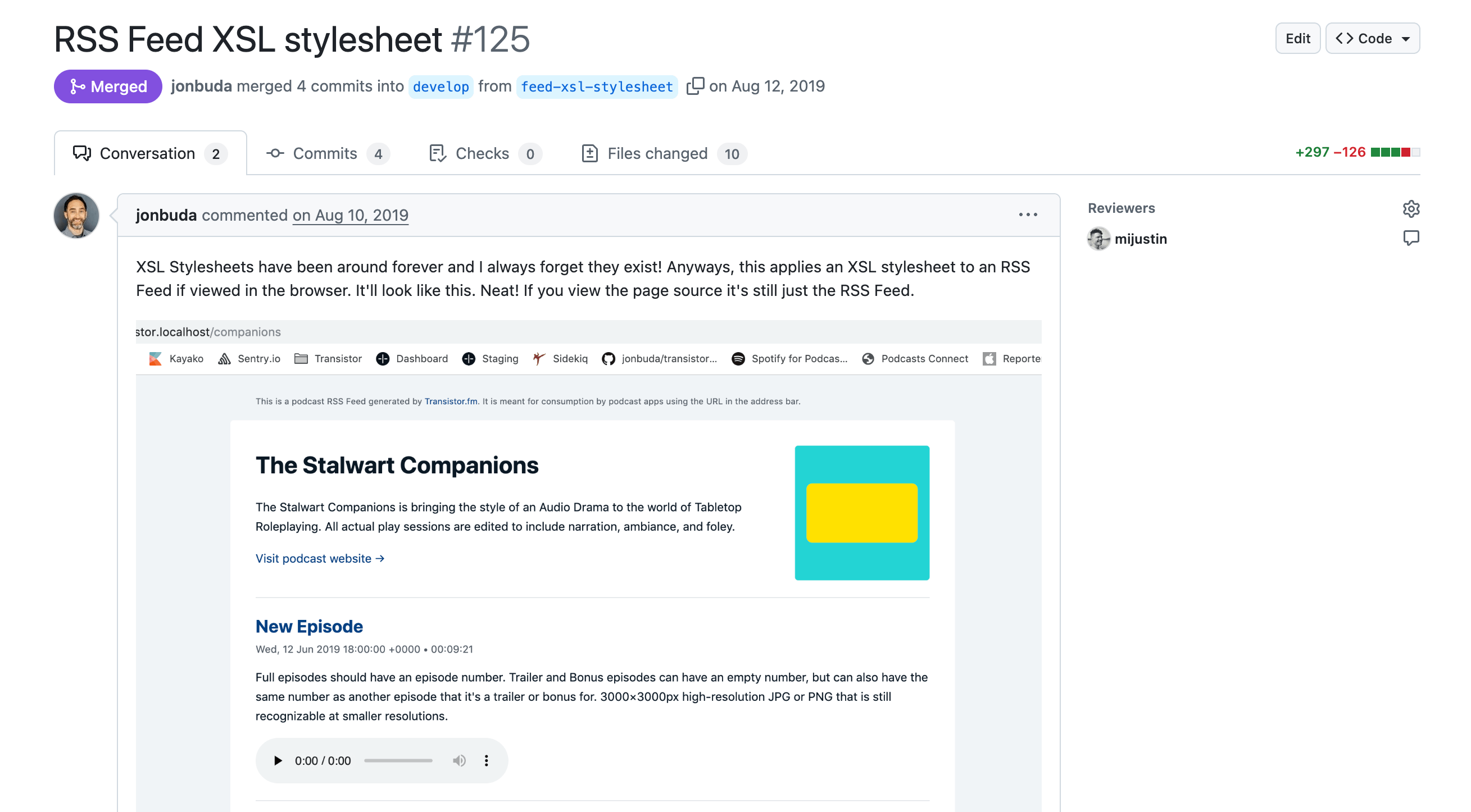
Once this was deployed, I saw firsthand how this helped our users understand RSS: once they could see it visualized and styled in their browser, they "got it."
And, if they, or one of their listeners, happened to open one of our RSS feeds in the browser, they were able to browse the contents in a user-friendly way: click on episodes, read show notes, or listen to the audio.
XSL stylesheets make RSS feeds look pretty (and that's a good thing)
I still believe RSS is an incredibly important technology. While big, closed platforms like X, YouTube, and Facebook keep everything locked, RSS brings "balance to the force" by keeping it open.
As modern users become increasingly distant from understanding the web and the underlying technology that makes it work, it's worth helping "normies" understand something like RSS.
The best way to do that is to make RSS more user-friendly. As Daniel Aleksandersen said in his 2014 blog post:
A webpage with garbled text and XML tags isn’t all that user-friendly. [XML stylesheets] can improve on a newsfeed file’s presentation of itself to new users.
Atom/RSS can be difficult to wrap one’s head around. All you see is some garbled text and code after clicking an interesting orange button that encourages you to subscribe to sites you like. A potential subscriber is likely to think “Well, that didn’t work” and move on to something else. The only thing the site will have achieved is to have trained that user to never click on any orange buttons called “RSS” ever again.
XSLT makes the web more user-friendly
Imagine you're a non-technical user who's heard about RSS. You notice that my site navigation has a link to my RSS feed. "I want to check that out," you say.

At this point, your possible realities diverge. In one reality, you click on the RSS link, and you get the wall of XM you see on the left. In another reality, you get the version on the right:
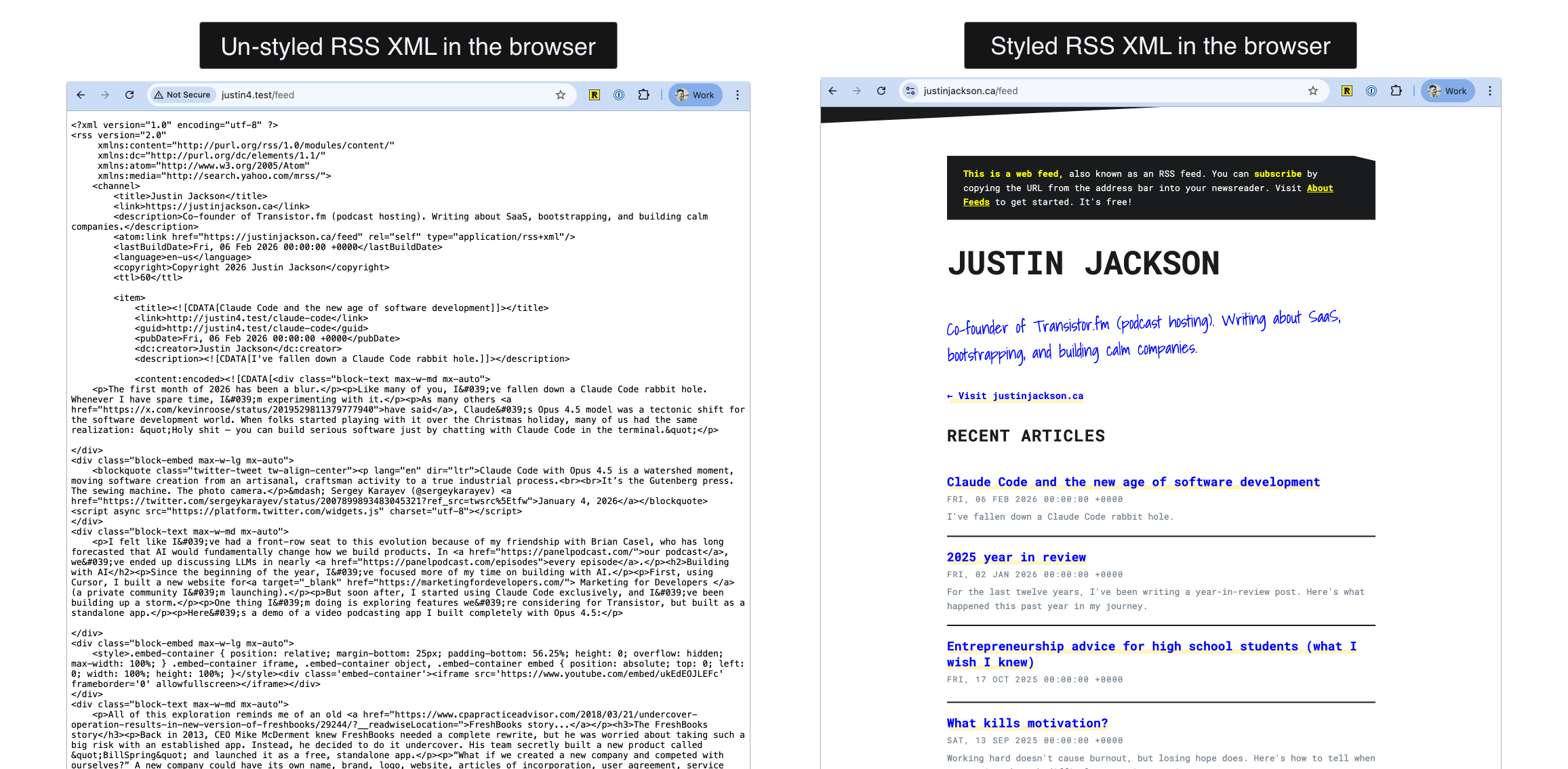
Which version offers a better UX for non-technical users?
This solution has technically worked on the web for 20+ years. But now, it's being removed.
Browsers have been progressively dropping native RSS support for years. Firefox removed its built-in RSS feed reader in Firefox 64 (December 2018).
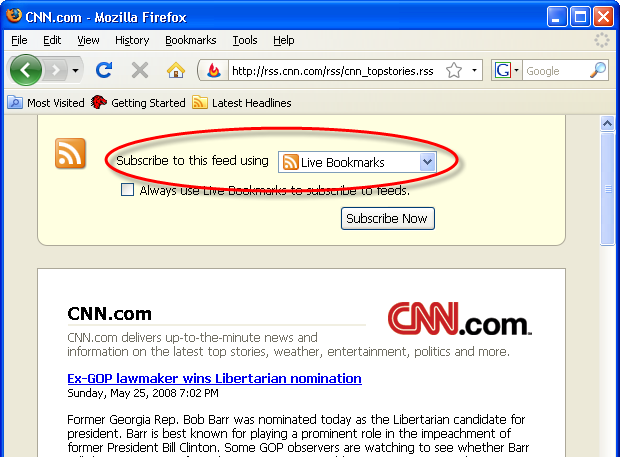
After that, Firefox started treating RSS feeds as downloadable files rather than displaying them. Other browsers display raw XML or perform other unexpected actions (e.g., opening Outlook).
Here's a quick example. In this video, I click a podcast RSS link in DuckDuckGo — without XSLT, it prompts me to download a file. With XSLT, it loads beautifully, and I can even play an episode right in the browser:
If you browse online forums (like Reddit), you'll find users reporting this exact confusion: "I clicked on the RSS feed, and it downloaded a file. What do I do with this?"
XSLT fixes this – it transforms XML into HTML. With XSLT, it works consistently everywhere, because at that point, it's just a webpage.
Browsers are removing XSLT support
And now it's about to get worse.
On August 1, 2025, a Chromium developer posted on WHATWG's GitHub: "Should we remove XSLT from the web platform?"
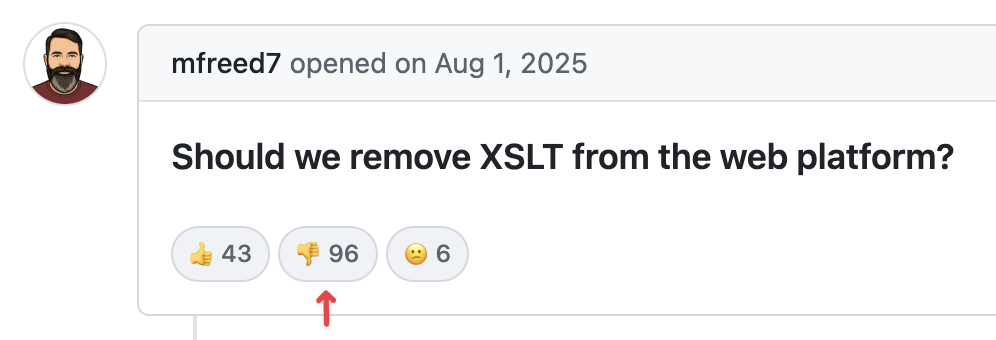
Despite the developers voting against removal 2-to-1. The proposal moved to "Committed" anyway.
In October 2025, Google announced that Chrome would officially deprecate XSLT. By November 2026, XSLT will no longer work in Chrome. Firefox and WebKit have both indicated they plan to remove XSLT as well.
Google says it's removing XSLT to address security vulnerabilities. The underlying library that processes XSLT in Chrome (libxslt) is an aging C/C++ codebase with known memory safety issues. Chrome's team argues that because only about 0.02% of page loads use XSLT, it's not worth the maintenance burden.
As one commenter on Hacker News put it: "Google is too cheap to fund or maintain the library they've built their browser with after its hobbyist maintainers got burnt out." Another noted:
"How about a trillion-dollar corporation steps up to sponsor the lone maintainer who has been doing a thankless job for decades? They certainly have enough resources to maintain a core web library and fix all the security issues if they wanted to. And I don't buy the excuse that XSLT is a niche feature. Their [pet feature] AMP probably has even less users, and they're happily maintaining that abomination."
Who uses XSLT for RSS feeds?
Many bloggers (such as Cassidy Williams) still rely on XSLT to style their RSS feeds. But ever since Google Reader went away, RSS feeds haven't been as popular for normal consumers.
One place where everyday consumers do interact with RSS feeds is in podcasting.
Many of the top podcast hosting providers rely on XSLT for browser rendering. My estimate is that this affects more than 500,000 feeds and millions of people viewing them on the web.
One frustrating part of this discussion is that many tech folks don't intuitively understand how useful this is for "normies."
Many podcast hosting providers use XSLT to make it easier for users to visualize their RSS feed in a browser. Creators link to their feeds on their websites, in their emails, and on social media. Usage is likely far more widespread than people give it credit for.
The suggested workarounds don't work for real-world use cases
Google's proposed solutions don't actually solve the problem.
Their first suggestion is to hide your RSS feed behind a <link> tag so users never see it directly. But as I've described, people encounter RSS feed URLs everywhere: in emails, on websites, and shared on social media. You can't prevent people from sharing/clicking on them.
Their second suggestion is to add a JavaScript polyfill to your XML files. But as John Spurlock (creator of OP3) pointed out, most RSS parsers ignore unknown elements, but if there's one tag a parser would blacklist by default, it's <script>. Adding JavaScript to an RSS feed could cause podcast apps to reject the feed entirely.
There's a third option: using a CSS stylesheet instead of XSLT. James Cridland (editor of Podnews) has implemented this approach, and you can see it on the Podnews RSS feed. As James put it: "The CSS stylesheet option isn't fabulous but at least helps humans understand what is going on, rather than present them with what most people would consider 'an error.'" This approach has limitations. When I tried loading James' feed in multiple browsers, it prompted me to download it:
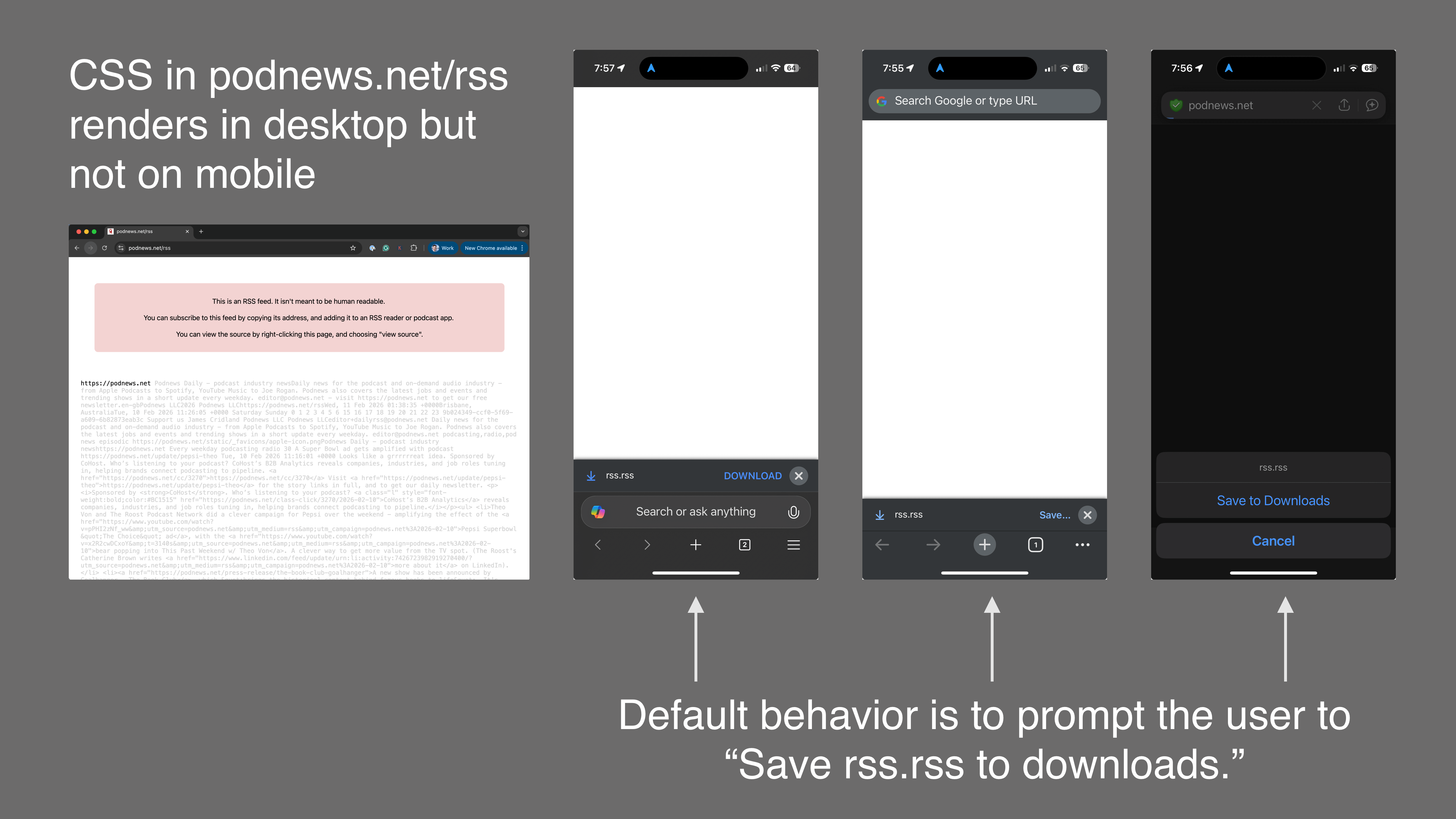
This kind of styling is far more limited than what XSLT provides: you can't add an audio player, and some browsers will still auto-open podcast feeds in RSS readers, further confusing users.
None of these workarounds replicates the primary benefits of XSLT: transforming XML into a proper HTML page that works consistently across all browsers.
This feels like another step in the slow erosion of the open web. First, Google killed Google Reader (which many credit with diminishing RSS adoption). Then, browsers removed the RSS icon from the address bar. Now they're removing the ability to make feeds look human-readable.
Is it too late?
Many have commented that this topic "has been chewed on ad nauseum on HN already."
I still think it's important to send the WHATWG (Web Hypertext Application Technology Working Group) and browsers a message:
This move sucks.
Once XSLT support is fully removed, I think we'll see how many people were using it, how many use cases it supported, and how much more accessible the web became for millions of people.
Cheers,
Justin Jackson
Connect with me on:
🦋 Bluesky
💼 LinkedIn
🐘 Mastodon
🧵 Threads