
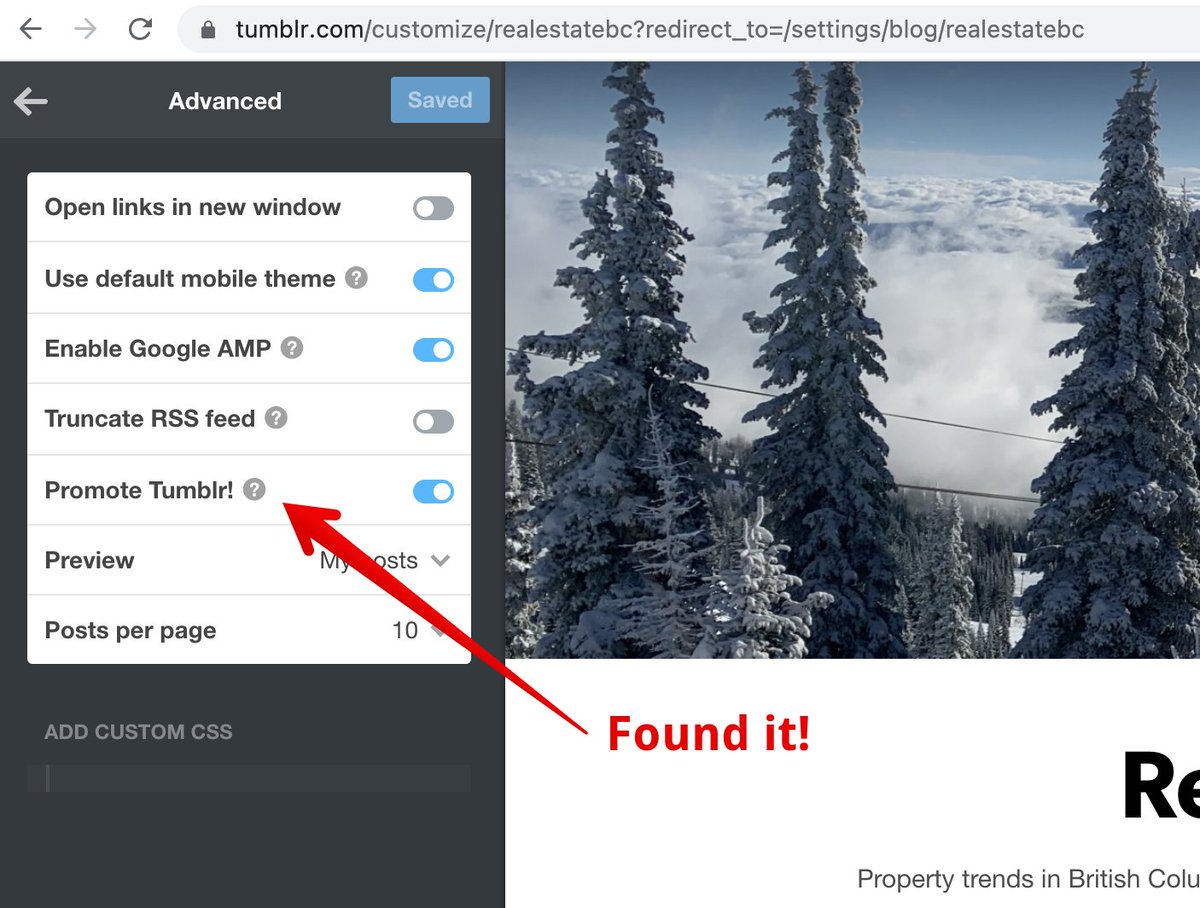
@automattic @tumblr I found it:
1. In Tumblr Dashboard, click on the Account → Edit Appearance
2. Click on Edit Theme button (same Customize)
3. Scroll to the button and click Advanced Settings
4. Uncheck "Promote Tumblr!"
But it doesn't appear to be working?
https://realestatebc.org
1. In Tumblr Dashboard, click on the Account → Edit Appearance
2. Click on Edit Theme button (same Customize)
3. Scroll to the button and click Advanced Settings
4. Uncheck "Promote Tumblr!"
But it doesn't appear to be working?
https://realestatebc.org
⟳ 0
♡ 1